
Guaranteed Best Prices On Colorado's Most Popular Health Insurance Plans

Get a free quote

Designate Agent – Step by Step

Certified by Connect for Health ColoradoConnect for Health Colorado is the state’s official health insurance marketplace — and the only place where you can get premium tax credits to lower your health insurance costs.

  • If you already have a Connect for Health Colorado account, login and skip to the 4th picture below with the login screen. 
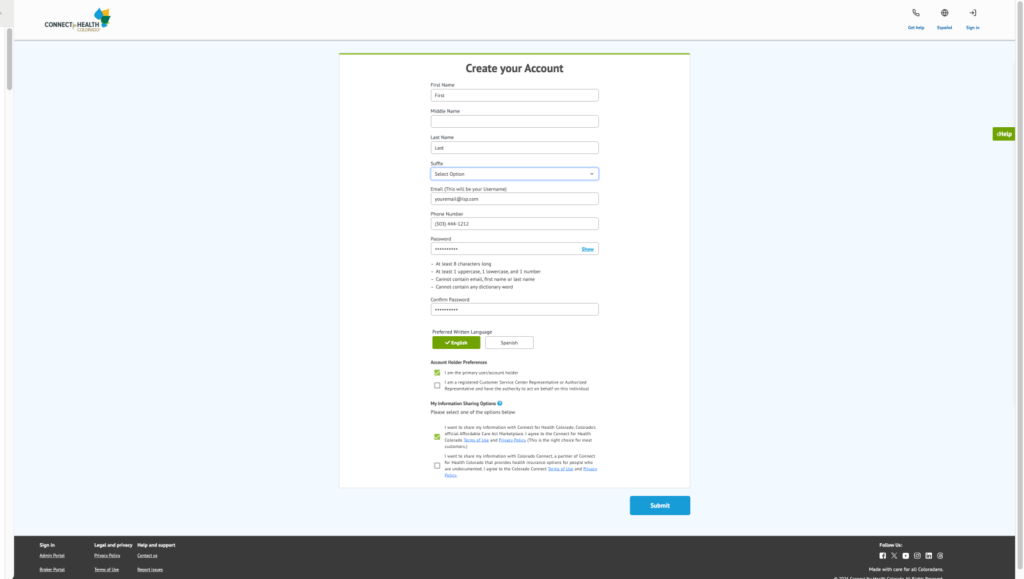
  • Otherwise follow the instructions below to create an account a new Connect for Health Colorado account. 
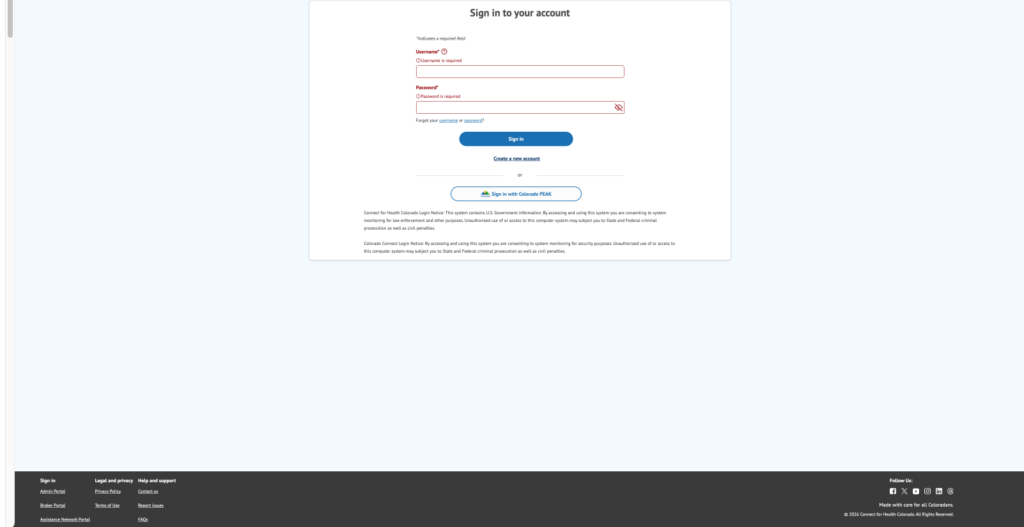
Centered sign-in dialog on a pale blue page showing Username and Password fields and a blue Sign In button with a Colorado PEAK sign-in option beneath.

Do not click on the tempting blue button. Instead, click on “Create an Account” and save 10 minutes.
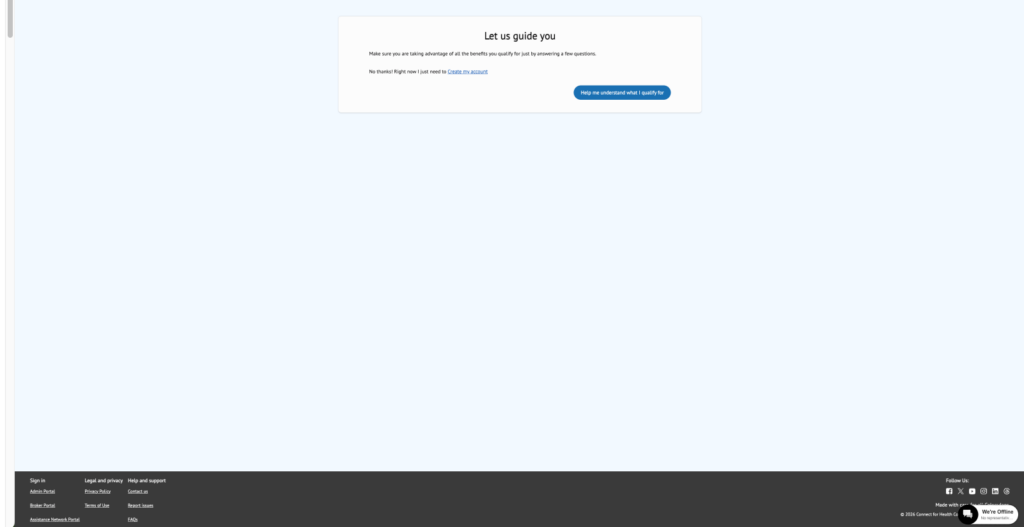
Centered white info card on a pale blue page saying 'Let us guide you' with explanatory text and a blue button labeled 'Help me understand what I qualify for'. A dark footer with links is visible at the bottom of the screen.

Important: Near the bottom of the registration page, under “My Information Sharing Options” check the first box for “Connect for Health Colorado”NOT Colorado Connect. Colorado Connect is only for undocumented individuals and has limited plan options.Centered 'Create your Account' form with fields for first/middle/last name, suffix, email, phone, password, language, and a blue 'Submit' button on a light blue page.
Login using your email address and password.
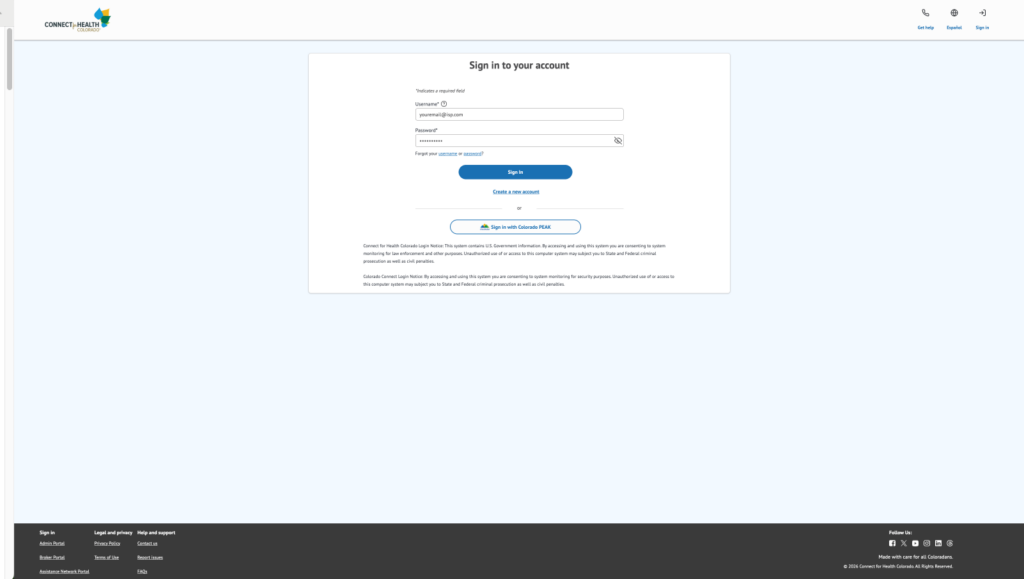
Login page for Connect for Health Colorado with username and password fields and a Sign In button centered on a light blue background.

At the “My Account Page:

  • Click “Get Assistance” in the top navigation menu.
  • Select “Find Expert Assistance in Your Community” from the drop down menu
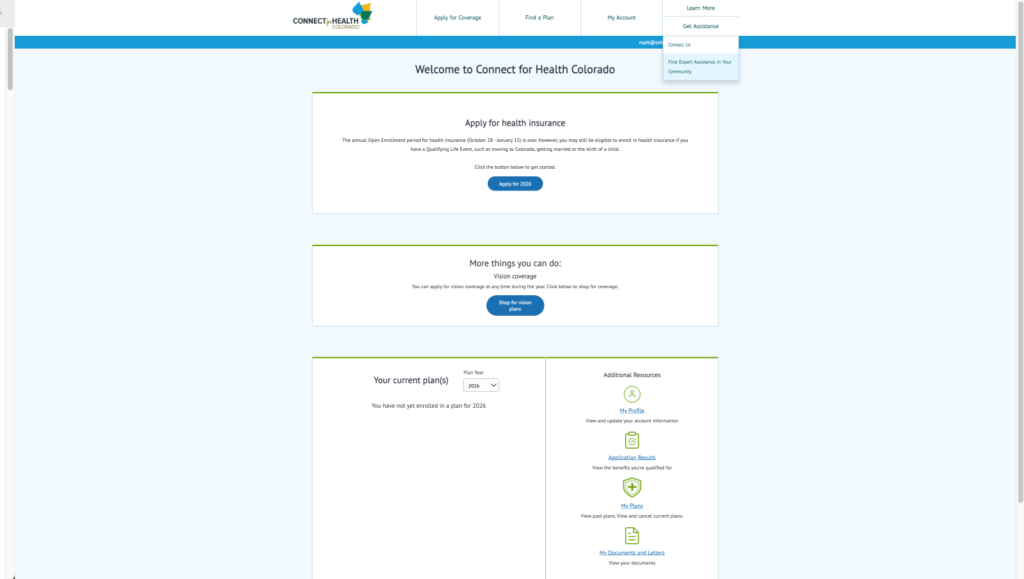
Connect for Health Colorado homepage: welcome banner, two info cards for health insurance and vision plans, and a two-column panel showing current plans and additional resources.

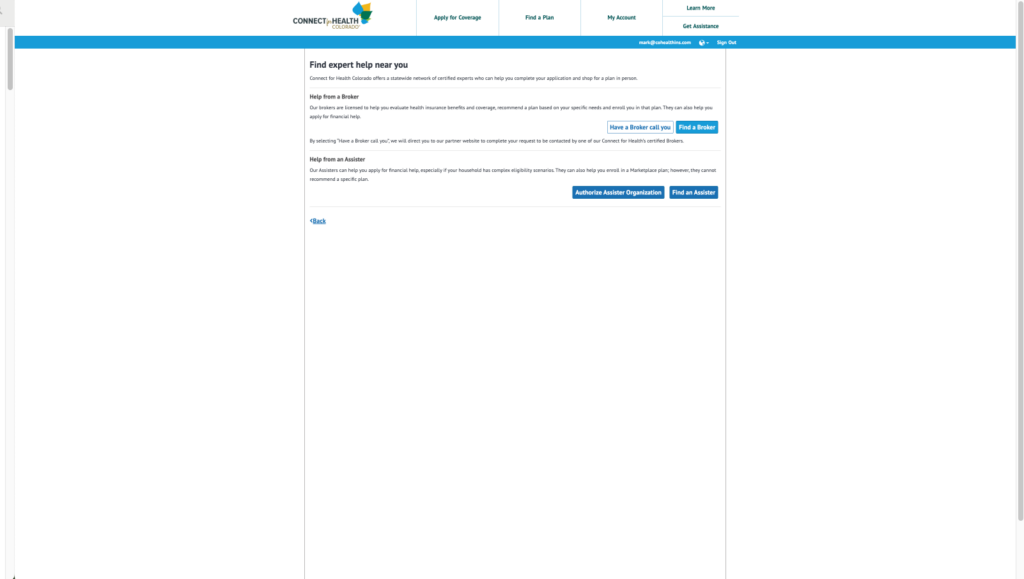
  • Click “Find a Broker.”

Web page titled 'Find expert help near you' offering help options: 'Have a Broker call you', 'Find a Broker', 'Authorize Assister Organization', and 'Find an Assister' with brief descriptions of broker and assister help.

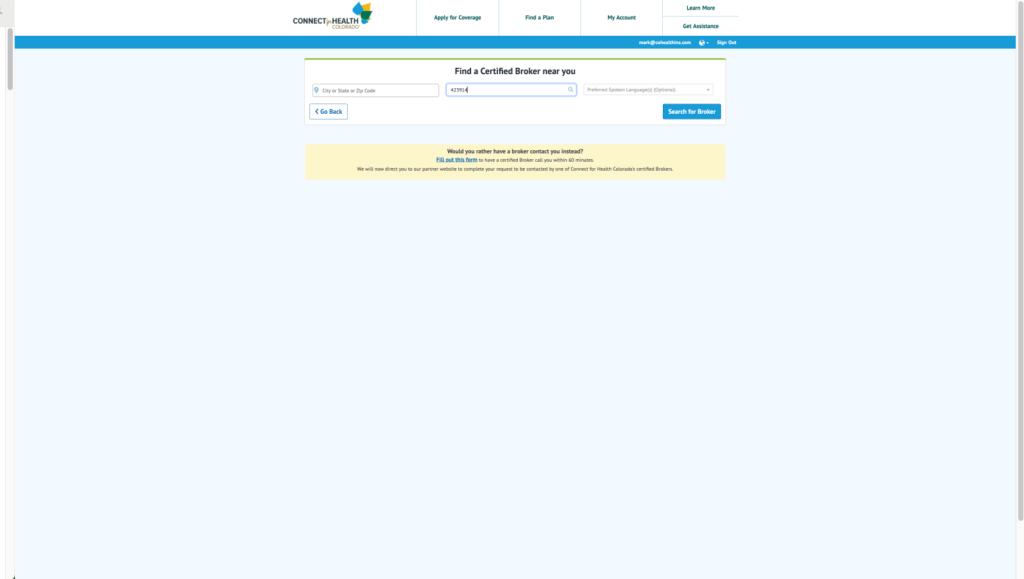
  • In the middle box, enter your agent’s license number and click the magnifying glass to search.
  • Agent License Numbers:
    Andrei Barta – 875424
    Scott Crist – 297100
    Mark Erickson – 423914
    Nancy Eubanks – 416386
    Sara Martin – 625395
    Spencer Martin – 178100
    Miriam Rotskoff – 521955
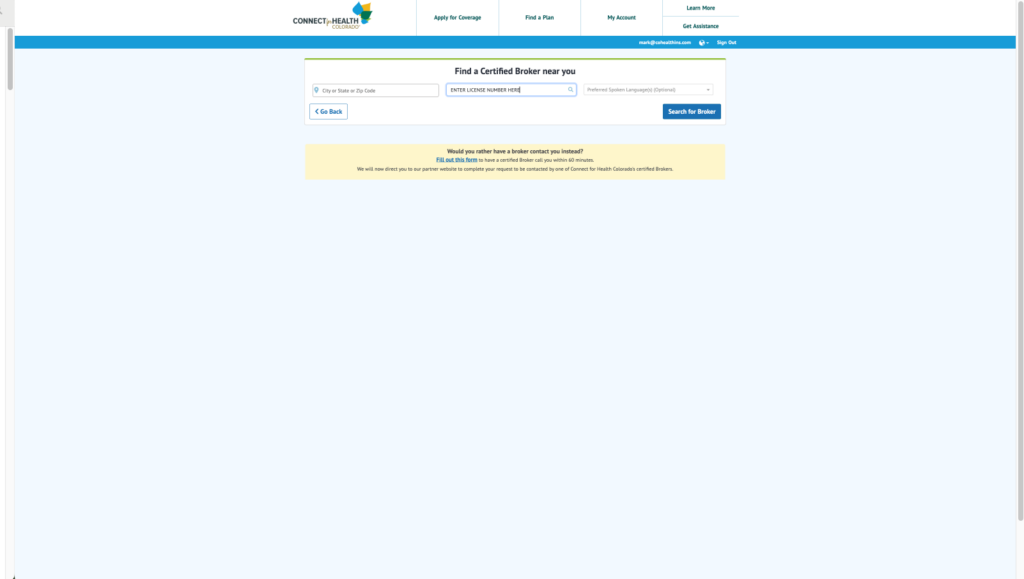
Web page section titled 'Find a Certified Broker near you' with inputs for city/ZIP, license number, language, a 'Search for Broker' button, and a yellow notice box below.

  • After entering license number click “Search for Broker

Find a certified broker near you: form with a City/State/ZIP field and a 'Search for Broker' button on a pale blue page header area.

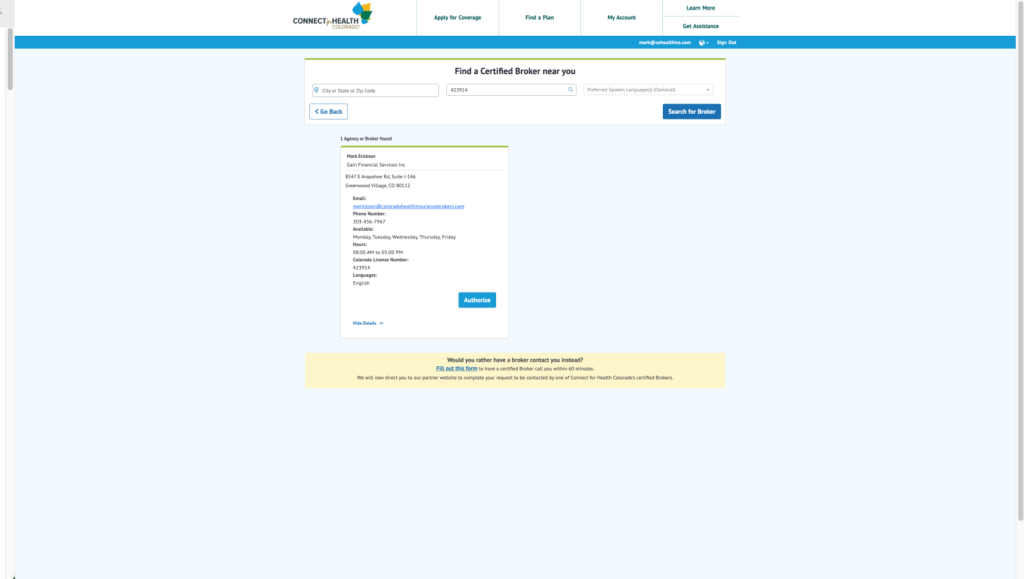
  • Click on Agent’s Name when it appears and “More Details” to expand the screen (see next image)
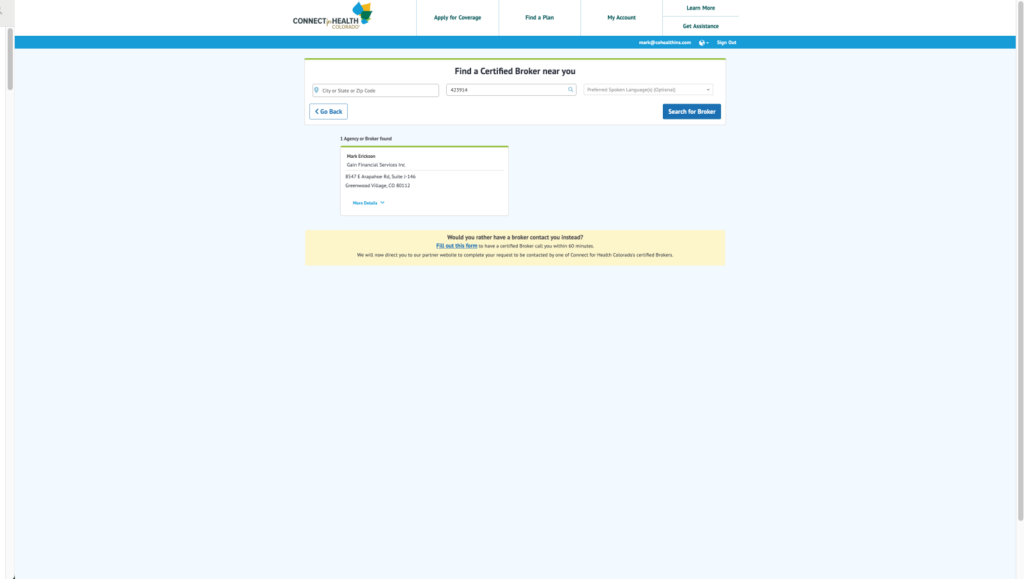
Screenshot of a broker search results page showing 1 broker found: Mark Erickson, Gain Financial Services Inc, Greenwood Village, CO. Yellow contact offer below.

  • Click “Authorize.”

Web page showing a broker search: a form "Find a Certified Broker near you" and one broker result with contact details, hours, and a yellow notice below.

Then tick the checkbox and click “Authorize Broker.”  If you don’t see this option, the system logged you out. Log back in and it should work. 
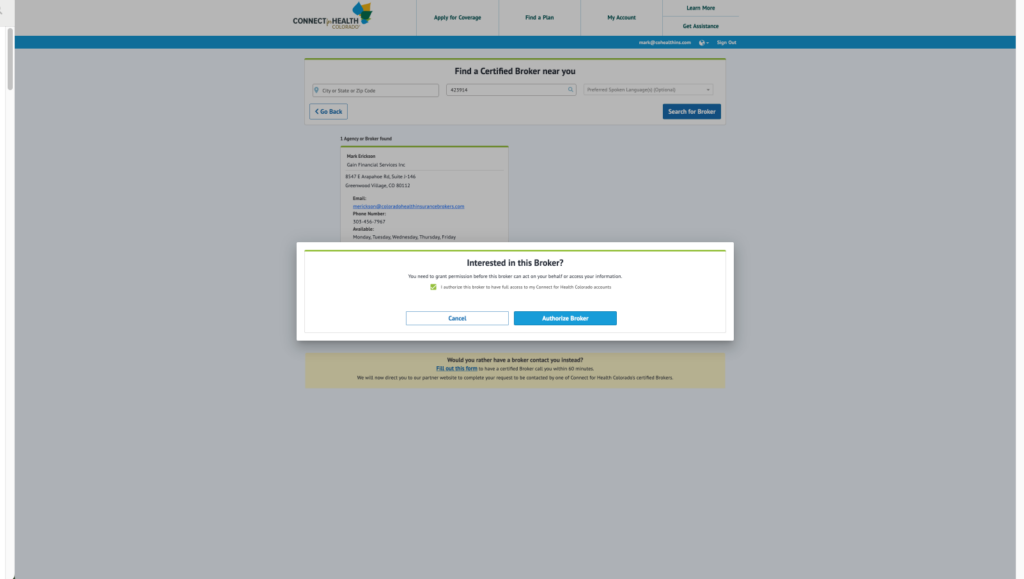
Centered consent dialog 'Interested in this Broker?' with a checkbox and Cancel/Authorize Broker buttons over a greyed broker finder page.

  • That’s It!  The Connect for Health system will automatically send your Agent an email notification so they know they are ready to assist you. 
Save & Share

Questions?

Speak With A Licensed Agent

Request a free quote